The pdf's are now located when you click into the particular video you want to watch. The pdf shows up differently on a browser versus the app on a phone.
In a browser:
Under the video you will see a description and below that you will see a button with the title of the pdf. Click on that button to download the pdf. See the attached screenshot.
In the app on your phone:
Under the video you will see a description and below that you will see the word Resources. Click on the word Resources and it will bring up the title of the pdf that you can click on to open it up.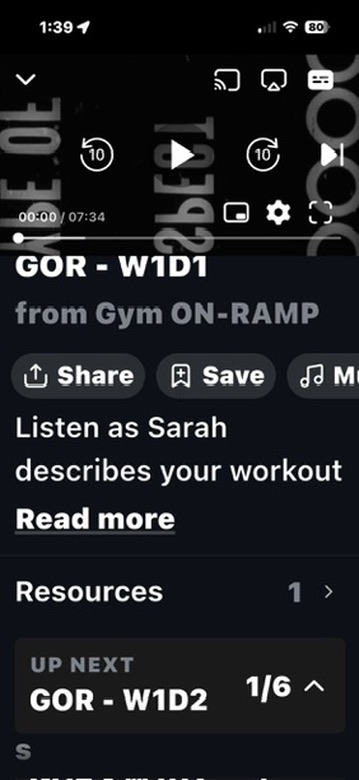

Was this article helpful?
That’s Great!
Thank you for your feedback
Sorry! We couldn't be helpful
Thank you for your feedback
Feedback sent
We appreciate your effort and will try to fix the article